How to Make a Gamepass for Your PLS WAIT Stand
Creator Dashboard basics, booth listing, and how Fixed Donations claiming differs from classic booth games.
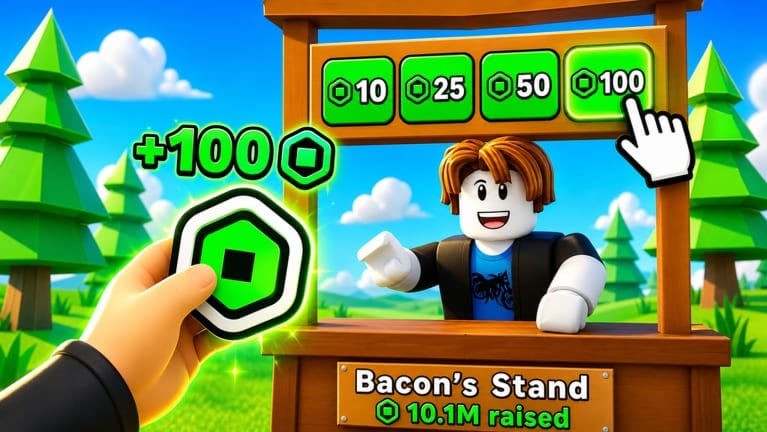
Many PLS WAIT players treat their stand like a tiny storefront. You claim a booth, write sign text, and ask for tips — but you can also sell a gamepass you created in Roblox’s Creator tools. A well-priced pass with a clear name can outperform pure begging because visitors understand what they are buying. This guide walks through creating a pass on Roblox, listing it from your PLS WAIT stand, and the Fixed Donations rules that still apply when you receive gift-style tips versus pass purchases.
Why a gamepass helps on a PLS WAIT stand
Tip-only booths depend on generosity. Shop-style booths offer a concrete item: VIP flair on another game, a silly emote pack, early access to a feature, or even a joke pass that says “thanks for supporting me.” Impulse buyers often spend small amounts faster than they donate large ones. Pair pass sales with honest sign copy on How to claim a stand and traffic tactics from Get more donations.
Remember: PLS WAIT stores many gift-style donations in-game under Fixed Donations. Pass purchases may behave more like ordinary Roblox commerce depending on configuration — which is why players sometimes see mixed signals between Transactions history and in-experience balances. Read Fixed Donations explained before you promise friends that every Robux will look identical on the website wallet.
Creator Dashboard: create the pass (PLS DONATE video applies)
The mid-article video on this page demonstrates PLS DONATE UI, but the Roblox Creator Dashboard steps for making a gamepass still apply to PLS WAIT sellers. You are not creating the pass inside PLS WAIT itself — you create it for an experience you own (or co-own) in Roblox Studio / Creator Hub, then feature it from your booth.
Typical workflow:
- Open Roblox Creator Dashboard and select the experience that will host the pass.
- Navigate to Monetization → Passes (wording can shift with Roblox updates).
- Create a new pass, upload an icon, set a Robux price, and write a short description buyers can read before purchase.
- Publish the pass and confirm it is on sale.
- Join PLS WAIT on the live place
14458936637, claim a stand, and configure your booth to highlight the pass.
If the video shows PLS DONATE-specific menus for attaching a pass to a booth, translate the idea: your stand in PLS WAIT should expose the same pass through whatever shop UI X Studios currently provides. When buttons move after patches, check Discord discord.gg/plswait and the updates hub.
Pricing and naming that actually sells
Cheap passes (often under 50–150 Robux depending on lobby mood) convert better than blank 1,000-Robux passes with no description. Name the pass honestly: “Support Sign,” “Tip Jar Pass,” “VIP Tag,” etc. Avoid impersonating Roblox staff or promising free Robux — that is scam behavior and can violate platform rules.
Use the donation calculator if you are budgeting how much Robux you want to reinvest into optional PLS WAIT passes such as Anti AFK (~199 Robux), Donation Sign (~99), VIP, or Early Access (prices can change). Those are X Studios gamepasses, not passes you create — do not confuse buying convenience perks with selling your own pass on a stand.
Listing the pass from your booth
After you claim a stand (claim guide), open the personalization / shop options your client shows. Feature the pass icon and mirror the same promise on your sign text. Mobile players should recognize the item in one glance. If you own the Donation Sign pass from X Studios, use whatever extra presentation it unlocks — details on the gamepasses hub.
Shop booths work best when:
- The pass description matches what buyers receive.
- Your sign explains price and purpose without walls of caps lock.
- You are on a populated server or willing to hop until traffic appears.
If booth text fails to render for visitors, that is often a Roblox privacy setting — not a broken pass. See Fix booth text not showing.
Fixed Donations vs pass income (PLS WAIT-specific)
This is where PLS WAIT diverges from what the PLS DONATE-oriented Creator video implies about “claiming.” PLS WAIT claim rules use Fixed Donations for stored gifts and require 14 days in the X Studios group (32815300) before you can claim. Gift-style tips may not appear in Roblox Transactions. Pass purchases might surface differently — verify which interaction happened when you reconcile earnings.
Before you expect a payout:
- Join the X Studios group the same day you start selling — join guide.
- Track in-game balances and claim UI, not only the website Transactions page.
- Follow How to claim Robux once eligible.
Creating a pass does not bypass the group timer. Buying VIP does not either.
Common mistakes new sellers make
- No description on the pass — buyers skip mystery items.
- Pricing for whales only — busy plazas favor micro purchases.
- Wrong place ID — legacy
14212732626links fail; use14458936637. - Expecting PLS DONATE Transfers behavior — after May 2026 platform changes, PLS DONATE moved toward Transfers API flows and often needs Roblox Plus to donate; PLS WAIT uses Fixed Donations instead. Compare games on PLS WAIT vs PLS DONATE.
- Promo code fantasies — there are no active PLS WAIT codes; see codes hub.
Practice plan for your first shop stand
Day 1: Create one cheap pass with a clear icon. Day 2: Claim a visible stand, list the pass, A/B test two sign texts for thirty minutes each. Day 3: Donate a little to other players for Points (earn points guide) and note whether reciprocity improves pass sales. Log server population each session.
How this guide connects to the wiki
- New to the loop? How to play PLS WAIT.
- Booth broken text? Booth text fix.
- Claim confusion? Fixed Donations and How to claim.
- X Studios passes vs your pass? Gamepasses hub.
Selling a gamepass is optional, but it is one of the highest-skill ways to earn on a stand without lying. Build the pass in Creator tools, list it honestly, respect Fixed Donations claiming, and treat the embedded PLS DONATE video as a Roblox pass creation tutorial — not as proof that PLS WAIT payouts mirror PLS DONATE’s post-2026 Transfers model.
Frequently Asked Questions
Quick answers to the most common PLS WAIT questions.
Do I create a gamepass inside PLS WAIT?
No. Create the pass in Roblox Creator Dashboard for an experience you control, then feature it from your PLS WAIT stand.
Does the YouTube guide apply to PLS WAIT?
Creator Dashboard steps apply. PLS WAIT Fixed Donations claim rules and Transactions visibility differ from classic PLS DONATE.
Can I skip the 14-day group wait if I sell passes?
No. Join the X Studios group and wait 14 days before claiming stored Fixed Donations, regardless of pass sales.
What price should my stand gamepass use?
Many players succeed with small impulse prices and a clear description. Test rather than copying random expensive passes.
Where do X Studios passes like Anti AFK fit in?
Those are optional convenience purchases from the developer, separate from passes you create for your own booth shop.